
Every December, the same tension shows up. Shoppers arrive with intent and deadlines, but the site still treats them like browsers with time to spare. They do not want to wade through endless filters. They want help. The fastest way to give it is an on-page Christmas Gift Finder that asks five simple questions and immediately adapts the experience.
This is not a pop-up. It lives on the page, earns attention with usefulness, and leaves shoppers feeling calmer. You can build it in a week, measure the lift with a small holdout, and carry the segments into Q1. Here is how to do it well without complicating your stack.

What the Gift Finder is
Think of it as a short conversation, not a quiz for quiz’s sake. One screen per question. Clear progress. No email wall to see results. Five answers are enough to shape the journey.
- Who is the gift for
- Your relationship to them
- A budget band
- A style or category hint
- A delivery timeline
Budget needs a caution. Asking for price can anchor people lower. It tends to pull AOV down when handled bluntly. The fix is to use bands and then present a primary recommendation that fits, plus a “worth it” option that trades up with a clear reason. Shoppers accept a stretch when the value is obvious and delivery is on time.
Where it lives and how it behaves
On a PLP, place the module near the top of the grid. As the visitor scrolls, it can collapse into a slim helper bar that says “Need help picking a gift?” and expands inline when clicked. On a PDP, keep a two-question quick picker mid-page for ad and search landers. That version focuses on recipient and timeline. It returns a small rail of picks with ship-by or pickup tags.
Exposure matters. Show the PLP module by default for visitors who have not filtered yet. Back off once the cart has two or more items or if the quiz was completed in the last day. On PDP, show the quick picker only for shallow sessions or PLA landers. This keeps the pattern helpful instead of noisy.
What the answers unlock
The five answers create a small set of season-specific segments that are immediately useful.
- A “Last-Minute Santa” is someone who needs the gift today or wants local pickup this week.
- A “Planner Elf” is shopping ahead and wants confidence.
- A “Value Gifter” is price-sensitive and responds to ladders like “Best under $50.”
- A “High-Consideration Gifter” is in the 250+ range and needs comparison and reassurance.
- A “Self-Gifter” is candid about buying for themselves and is open to attachments with higher margins.
- Add one practical segment for your category, such as “Size-Sensitive,” where fit drives returns.
Each segment expires on an appropriate timeline. “Last-Minute” should age out by store close or the next pickup window. “Planner” can hold for a week or until two days before your shipping cutoff. Budget and style can last into January.
How the site changes
This only works if the page changes in ways people can feel. For Last-Minute Santa, show local pickup and ship-by dates near price on PLP and PDP. Keep copy short. Move “Ready today near you” collections to the top. For Planner Elf, lean into curated sets, gift wrap, and a quiet compare block that builds confidence. Value Gifter should see value tiles first and clear ladders by price band. High-Consideration needs a small compare table, Recently Viewed near the top, and a short consult prompt that does not hijack the page. Self-Gifter benefits from “Treat yourself” framing and attachments that complete the look. Size-Sensitive needs a sizing guide and an easy exchange or resize promise close to the call to action.
The email and SMS layer mirrors the same logic. Send a results email right away with six picks and a short “why this fits.” Follow with social proof that matches the style and relationship. Send one SMS that respects the shipping cutoff or pickup window. After purchase, send care or sizing tips. If it was a gift, schedule a “matching piece” prompt about a month later.
Why this works for Christmas
Seasonal shopping heightens pressure. People want to avoid mistakes. Delivery confidence, simple bundles, and proof that others chose the same item do more to reduce friction than broad promotions. The Gift Finder gives you zero-party data that is fresh, honest, and easy to act on. Your teams get segments that map to real decisions: what to show first, what to hide, what to promise, and when to remind.
How to measure the lift
Within eligible traffic, run live versus holdout. Start at sixty percent live, forty percent holdout for a day to confirm stability. If things look good, move to eighty percent live and twenty percent holdout. That gives you power during a short window while preserving a clean baseline. Use a 24-hour attribution window for Last-Minute Santa. Use seven days for Planner and High-Consideration. Value and Self-Gifter can sit at three days. Report Revenue per Visitor, conversion, and AOV as your primaries. Add two secondaries that reflect the intent of the work: pickup adoption for Last-Minute Santa and return rate for Size-Sensitive items.
A concrete example in jewelry
A visitor chooses partner, serious relationship, minimalist style, a budget band of 250 to 499, and ship by Christmas. The PLP shifts the sort to solitaire pendants under four hundred dollars and surfaces a “Ships by Dec 22” tag right under price. The PDP shows a small compare block that makes the quality clear without drowning the page. A matching studs bundle appears in a slim module, and a gift wrap prompt sits near the call to action. The first email echoes those picks and includes one “worth it” option with a short reason to stretch. This is not complicated. It is human and specific.
-
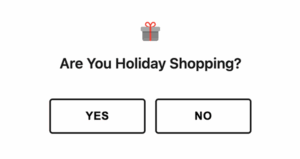
- Intent check
-
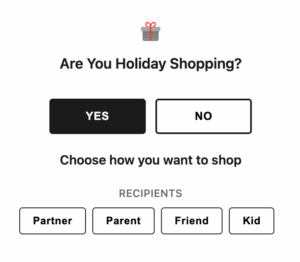
- Answers set the rules for what we show first
-
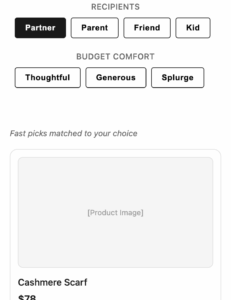
- Results preview choose anytime or continue
Build it in seven days
- Day one sets the foundation. Lock the five questions, the exact answer choices, and the segments. Decide which on-page changes each segment will trigger. Define your metrics and guardrails.
- Days two and three are for building the PLP module and the PDP quick picker and logging the events.
- Day four wires the segments to the PLP and PDP changes, including badges and pickup logic.
- Day five produces email and SMS templates that read the quiz traits.
- Day six is QA. Check speed, accuracy, and frequency caps. Freeze the rules.
- Day seven is launch. Start at sixty forty. If it holds, move to eighty twenty. Keep an eye on RPV, conversion, AOV, error rates, and pickup adoption.
What shoppers will feel
They will feel like the site understands the task at hand. They will see items that fit their price comfort, not a random list. They will know when the gift can arrive or be ready for pickup without digging. They will be offered a simple bundle that makes sense rather than a noisy sale. Most importantly, they will feel confident enough to finish.
You can do this. It is a modest build with clear benefits and tight feedback loops. It reduces stress for your customers and for your teams. It protects margin while still selling. It creates segments you can keep using when the season ends. That is the point. Helpful now. Useful later.
More Smart Moves That Drive Results
If this resonated, keep going. These next reads dive deeper into the tactics behind scalable personalization and smarter user journeys: